> For the complete documentation index, see [llms.txt](https://docs.sealsecurity.io/llms.txt). Markdown versions of documentation pages are available by appending `.md` to page URLs; this page is available as [Markdown](https://docs.sealsecurity.io/discovering/protection-page/sealed-packages-tab.md).

# The Sealed packages tab

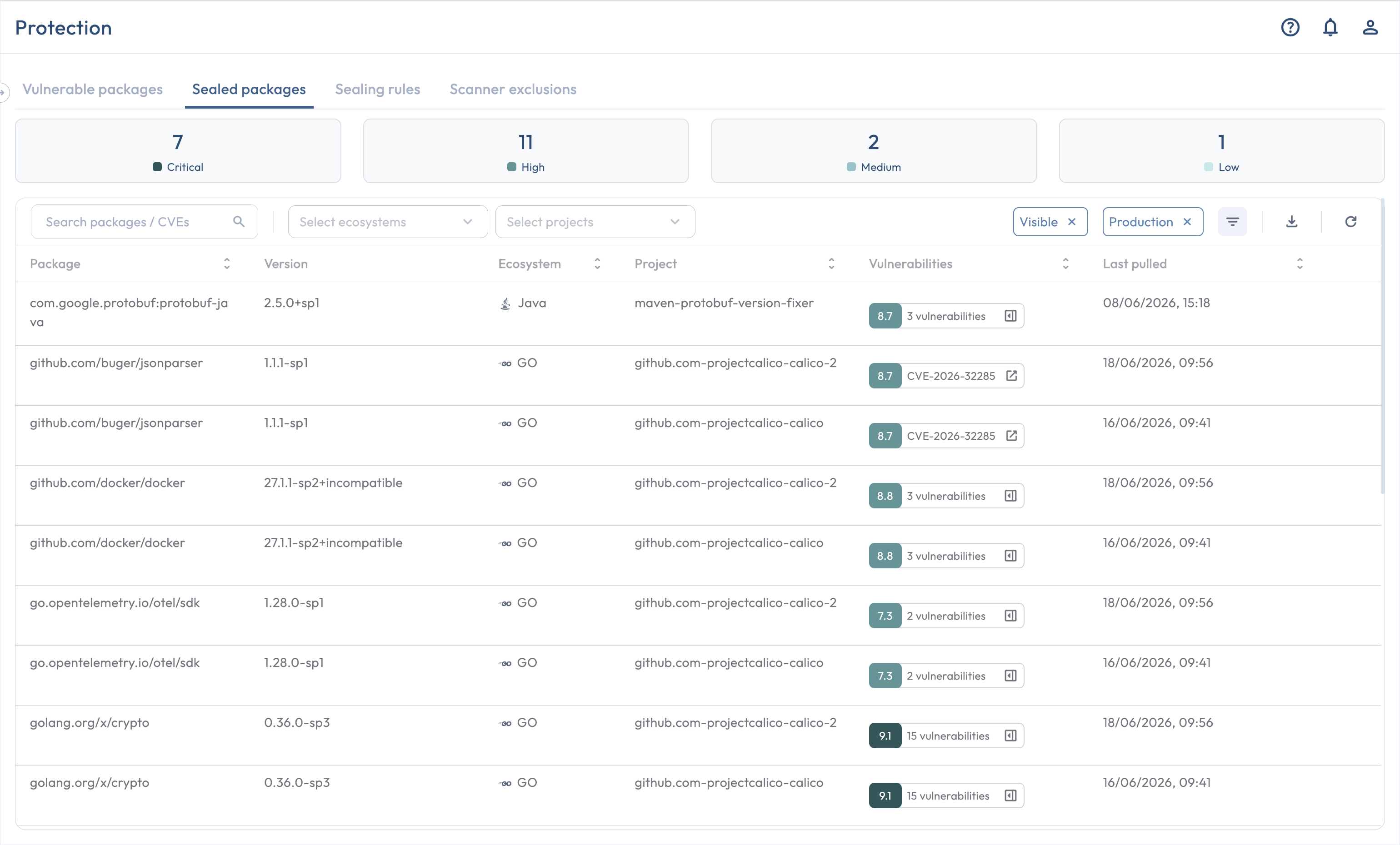
Every package that has been replaced with a sealed version in your environment appears here, with a row per Seal Project that has pulled the sealed version at least once. Use this tab to verify that remediation is taking hold and to download the attestations you need for audit.

<figure><img src="/files/uaXBZ5C0wxToYc3ls5ee" alt="The Sealed packages tab populated with rows"><figcaption><p>The Sealed packages tab shows one row per Seal Project that has pulled each sealed package.</p></figcaption></figure>

## Columns

| Column              | Contents                                                                                                    |
| ------------------- | ----------------------------------------------------------------------------------------------------------- |
| **Package**         | The package name.                                                                                           |
| **Version**         | The sealed version in use (for example, `2.7.4-sp1`).                                                       |
| **Ecosystem**       | The package's ecosystem.                                                                                    |
| **Project**         | The Seal Project this row belongs to.                                                                       |
| **Vulnerabilities** | The vulnerabilities the sealed version remediates.                                                          |
| **Last seen**       | The most recent time Seal saw this sealed package being used, whichever discovery mode produced the signal. |

The default sort is by **severity, descending**.

## Filters

The same filters as the [Vulnerable packages tab](/discovering/protection-page/vulnerable-packages-tab.md#filters), minus the Availability filter (since every row here is in the Sealed state).

## Per-row actions

| Action                                                                      | Roles                       |
| --------------------------------------------------------------------------- | --------------------------- |
| **Hide** / **Restore** (toggle the row's visibility)                        | Admin, Sealer, Collaborator |
| **Download attestation** (the human-readable PDF for this row)              | Any authenticated user      |
| **Download VEX attestation** (the machine-readable VEX record for this row) | Any authenticated user      |

## Bulk downloads

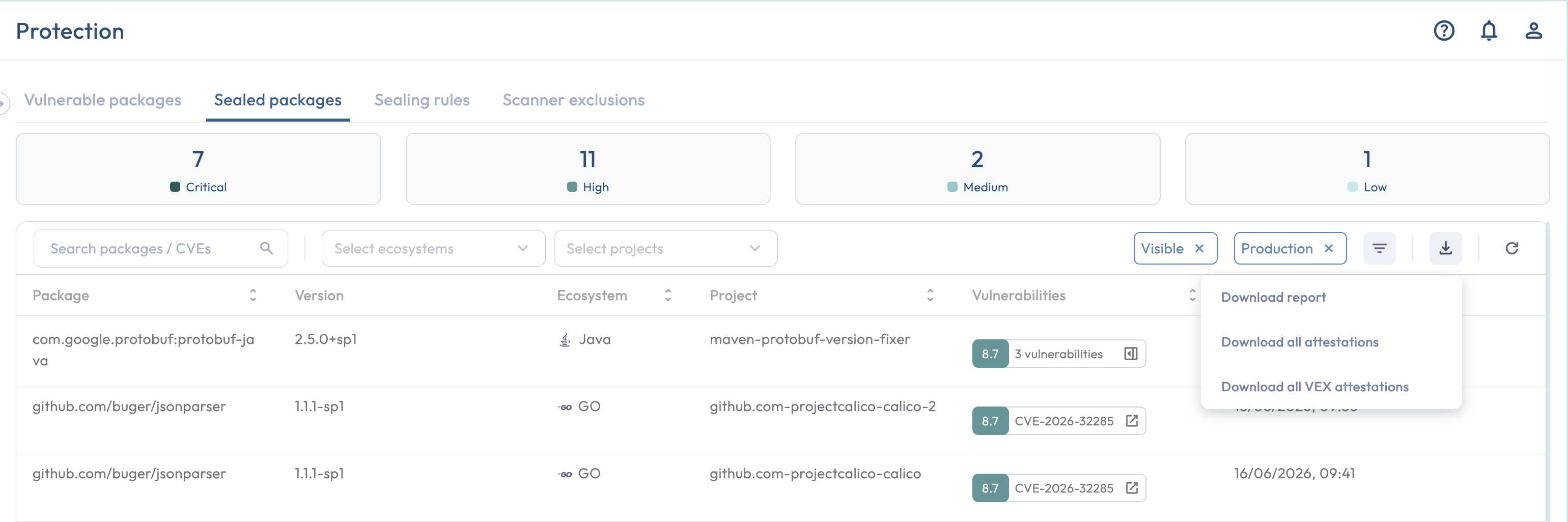
<figure><img src="/files/bWcnzXbxgnTfIUgHXFH9" alt="The bulk downloads menu expanded above the Sealed packages table"><figcaption><p>The bulk downloads menu offers combined attestation and VEX downloads for the current filtered set.</p></figcaption></figure>

Above the table, a download menu offers two bulk actions that operate on the current filtered set:

* **Download all attestations**: a single PDF that combines the attestations for every row in the filtered set.
* **Download all VEX attestations**: a single JSON file that combines every row's VEX record.

A separate **Download report** action exports the filtered set as a Sealed Packages report. See [Reports Manager](/using-platform/reports-manager.md).

## Related

* [Attestations](/trust/attestations.md): the canonical home for both attestation formats.
* [Sealed package](/introduction/seal-approach/sealed-packages.md): the concept behind every row in this tab.